
How to Get More Google Reviews for Your Local Business
Local SEO, Google Reviews, Reputation Management
How to Get More Google Reviews for Your Local Business
Google Reviews are one of the most powerful drivers of local business reputation, search visibility, and customer trust. This guide explains why reviews matter so much, then walks you step by step through building a simple, repeatable review request process, asking for feedback across multiple channels, and responding professionally to every review you receive.
Why Google Reviews Matter So Much for Local Businesses
When someone searches for a product or service near them, Google Reviews are often the first thing they see. Star ratings, review counts, and recent comments all appear prominently in Google’s local pack, Maps results, and branded searches. For a local business, this is your digital “first impression” – and it strongly influences who gets the call, click, or visit.
A strong profile with many high-quality Google Reviews helps you in three critical ways:
Visibility: Google is more likely to show businesses with robust review profiles in local search results and Maps, especially when reviews contain relevant keywords and are consistently earned over time.
Trust: Prospective customers rely heavily on social proof. A higher star rating and a larger volume of recent reviews signal reliability, quality, and consistency in your customer experience.
Conversion: A strong local business reputation shortens the decision-making process. Customers are more likely to choose you over a competitor if your Google Reviews are more positive, more detailed, and more recent.
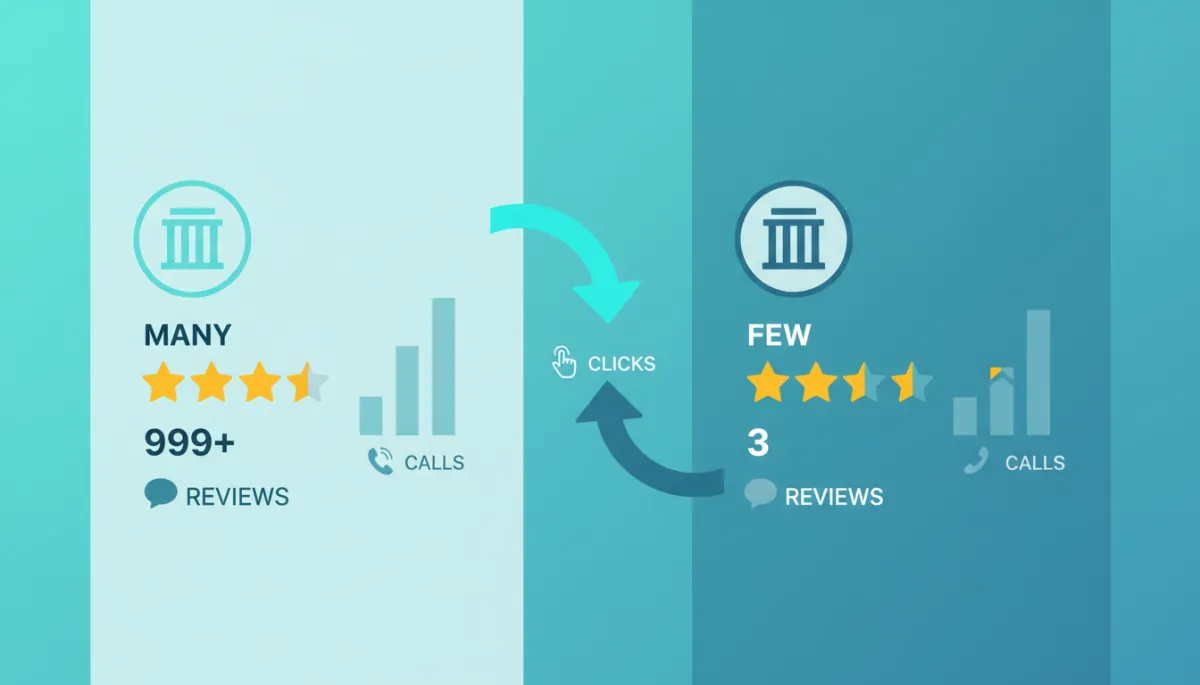
Businesses with more recent Google Reviews win more clicks, calls, and in-person visits.
Build a Simple, Repeatable Review Request Process
To increase Google Reviews sustainably, you need more than occasional reminders. You need a clear, consistent review request process that every team member understands and follows. The goal is to make asking for reviews part of your normal operations, not an ad hoc task you remember only when business is slow.
1. Start with a Clear Google Review Link
First, make it easy for customers to leave a review. From your Google Business Profile, generate a direct link that opens the review box immediately. Save this link somewhere accessible to your team and reuse it across all channels – email, SMS, printed materials, and your website. The fewer steps a customer has to take, the more likely they are to complete a review.
2. Define the Best Moment to Ask for a Review
Timing is critical. The best moment to request a review is immediately after a positive interaction – when the customer has just experienced value and is most inclined to share feedback. For example:
Right after a successful appointment, treatment, or service call
When a project is completed and the client expresses satisfaction
After a purchase where the customer has clearly found the right solution
Map these “review moments” into your customer journey so staff know exactly when to introduce the topic of Google Reviews and ask for quick customer feedback.
3. Script a Simple, Authentic Ask
Many team members hesitate to ask for reviews because they feel awkward or unsure what to say. Remove that friction by giving them a short, natural script. For example:
“We really appreciate your business. If you have a moment, would you mind sharing your experience in a quick Google Review? It helps other people in the area find us.”
The key is to be straightforward, polite, and clear about why their review matters. You are not asking for a “positive” review or a specific rating; you are asking for honest feedback to help others make informed choices.
4. Document the Process and Train Your Team
Once you have your link, timing, and script, put everything into a short internal guide. Clarify:
Who is responsible for asking (front desk, technicians, account managers, etc.)
At which exact stages in the customer journey the ask should happen
How to follow up if the customer agrees but does not review right away
Review this process in team meetings, role-play conversations, and celebrate wins when new reviews come in. Over time, this builds a culture where maintaining a strong local business reputation is everyone’s responsibility.
💡 Pro Tip: Track your average monthly review count before and after implementing a formal review request process. Even simple, consistent changes often double or triple your review volume.
How to Ask for Google Reviews Across Different Channels
Customers interact with your business in many ways – in person, by phone, through email, and online. To increase Google Reviews effectively, align your review request process with all of these touchpoints. Below are practical approaches for each major channel.
In-Person Requests at Your Location or On-Site
For many local businesses, in-person contact is still the core of the customer relationship. Train staff to ask for reviews at natural closing moments, then make it easy for customers to act immediately. You can:
Display a small sign at the checkout or reception desk with a QR code linking directly to your Google Reviews page.
Include the review link on appointment cards, invoices, and printed receipts, paired with a short thank-you message.
Ask customers if they would like a quick text or email with the link while they are still present, and send it on the spot.
Email Follow-Ups After Service or Purchase
Email is ideal for slightly longer, more personalized review requests. A simple structure works well:
Thank the customer for choosing your business and reference the specific service or product.
Briefly explain that their Google Review helps other local customers find a trusted provider.
Include a clear call-to-action button or link that opens the review form directly.
Keep the email short and focused on customer feedback, not promotions. You can also segment your emails by service type and personalize the wording to reflect the customer’s specific experience.
SMS and Messaging Apps for Quick, Convenient Requests
Text messages typically see higher open rates and faster responses than email. For many local businesses, SMS is the most effective way to increase Google Reviews consistently. A strong SMS review request might look like:
“Thank you for visiting [Business Name] today, [First Name]. We’d love your feedback. Please share a quick Google Review here: [short link]”
Always obtain consent to text customers and respect local regulations. Keep messages short, and send them soon after the interaction while the experience is still top-of-mind.
Website, Social Media, and Printed Materials
Beyond direct outreach, incorporate your Google Reviews link into your broader marketing presence:
Add a “Review Us on Google” button on your website’s contact or thank-you pages.
Occasionally highlight a great review on social media and invite followers to share their own experiences.
Include a short review request line and QR code on brochures, mailers, or packaging inserts.

A unified review request process turns everyday touchpoints into steady Google Review growth.
Want to make review requests easier? Think Local Act Global helps local businesses organize customer messaging, follow-up, and review-growth workflows from one connected platform. [Learn how it works]
Using Review Automation Without Losing Authenticity
As your customer base grows, manually tracking who to ask, when to follow up, and which channel to use becomes difficult. This is where review automation can help you increase Google Reviews more efficiently, while still feeling personal to the customer.
Triggered Review Requests Based on Customer Actions
Instead of relying on memory, connect your booking, POS, or CRM system to a messaging tool that automatically sends review requests after key events like completed appointments, closed tickets, or delivered orders. You can define:
How long after the interaction the first request should go out (for example, two hours or one day).
Whether the request is sent via email, SMS, or both, based on customer preferences.
If and when a gentle reminder should be scheduled for customers who have not yet responded.
Personalization and Compliance in Automated Messages
Effective review automation still feels like a one-to-one conversation. Include the customer’s first name, mention the specific service they received, and sign off with a real team member’s name where possible. At the same time, ensure your process respects privacy regulations by:
Obtaining consent before sending marketing or feedback messages.
Offering a clear opt-out option in email and SMS communications.
Avoiding incentives that could be seen as buying positive reviews, which violates Google’s policies.
How to Respond to Google Reviews Professionally
Earning more reviews is only half the equation. How you respond – especially in public on your Google Business Profile – directly affects your local business reputation. Thoughtful responses show that you value customer feedback, are willing to improve, and are attentive to concerns.
Responding to Positive Reviews
For positive reviews, your goal is to show appreciation and reinforce the aspects of the experience that went well. Keep responses brief but personalized. For example:
Thank the customer by name and mention a detail from their review.
Reaffirm your commitment to the quality they highlighted (speed, service, friendliness, results, etc.).
Invite them to return or contact you again if they need anything else.
“Thank you, Maria, for your kind words about our team. We’re glad we could help you so quickly with your appointment, and we look forward to seeing you again.”
Responding to Negative or Neutral Reviews
Negative reviews are inevitable, even for excellent businesses. What matters is how you handle them. A professional response can turn a critical comment into an opportunity to demonstrate accountability and care – both to the reviewer and to future readers. When responding:
Stay calm and avoid defensive language, even if you disagree with the customer’s perspective.
Acknowledge their experience, apologize for any inconvenience, and show that you take their feedback seriously.
Invite them to continue the conversation privately (by phone or email) to resolve the issue in more detail.
“We’re sorry to hear your experience didn’t meet expectations, James. This is not the standard we aim for. Please contact our manager at [phone/email] so we can learn more and make things right.”
Avoid sharing sensitive information or debating details publicly. Your priority is to show empathy, professionalism, and a willingness to improve.
Create Internal Guidelines for Review Responses
To keep your brand voice consistent, create a short set of guidelines for responding to Google Reviews. Include:
Response time goals (for example, within 24–48 hours for all new reviews).
Sample wording for positive, neutral, and negative situations that staff can adapt.
Escalation rules for complex or serious complaints that require leadership involvement.
Bringing It All Together: A Sustainable Google Review Strategy
Increasing Google Reviews is not about one-time campaigns or asking only your happiest customers. It is about building a culture of feedback, backed by a clear review request process and consistent follow-through. When you align your team, your tools, and your communication channels, you naturally generate more authentic customer feedback and a stronger local business reputation over time.
Start by ensuring your Google Business Profile is complete and accurate. Then, map your customer journey, define the best review moments, and equip your team with simple scripts and links. Layer in email and SMS follow-ups, website prompts, and printed reminders so that every satisfied customer has an easy path to share their experience. Finally, respond thoughtfully to every review to show that you value and act on customer feedback.
You can absolutely manage this manually at first – tracking who to ask in a spreadsheet, copying and pasting links into emails, and setting calendar reminders for follow-ups. Many local businesses begin this way and see meaningful gains in their review volume within a few months. As your customer base grows, however, manual methods can become time-consuming and inconsistent, which makes it harder to maintain momentum and continue to increase Google Reviews at scale.
That is where connected tools become valuable. A platform like Think Local Act Global helps you centralize customer messaging, automate follow-up sequences, and manage review workflows in one place. Instead of juggling separate systems for email, SMS, and review tracking, you can coordinate everything from a single dashboard, making it easier to deliver a consistent experience for every customer and sustain your review growth over the long term.